Table of Contents
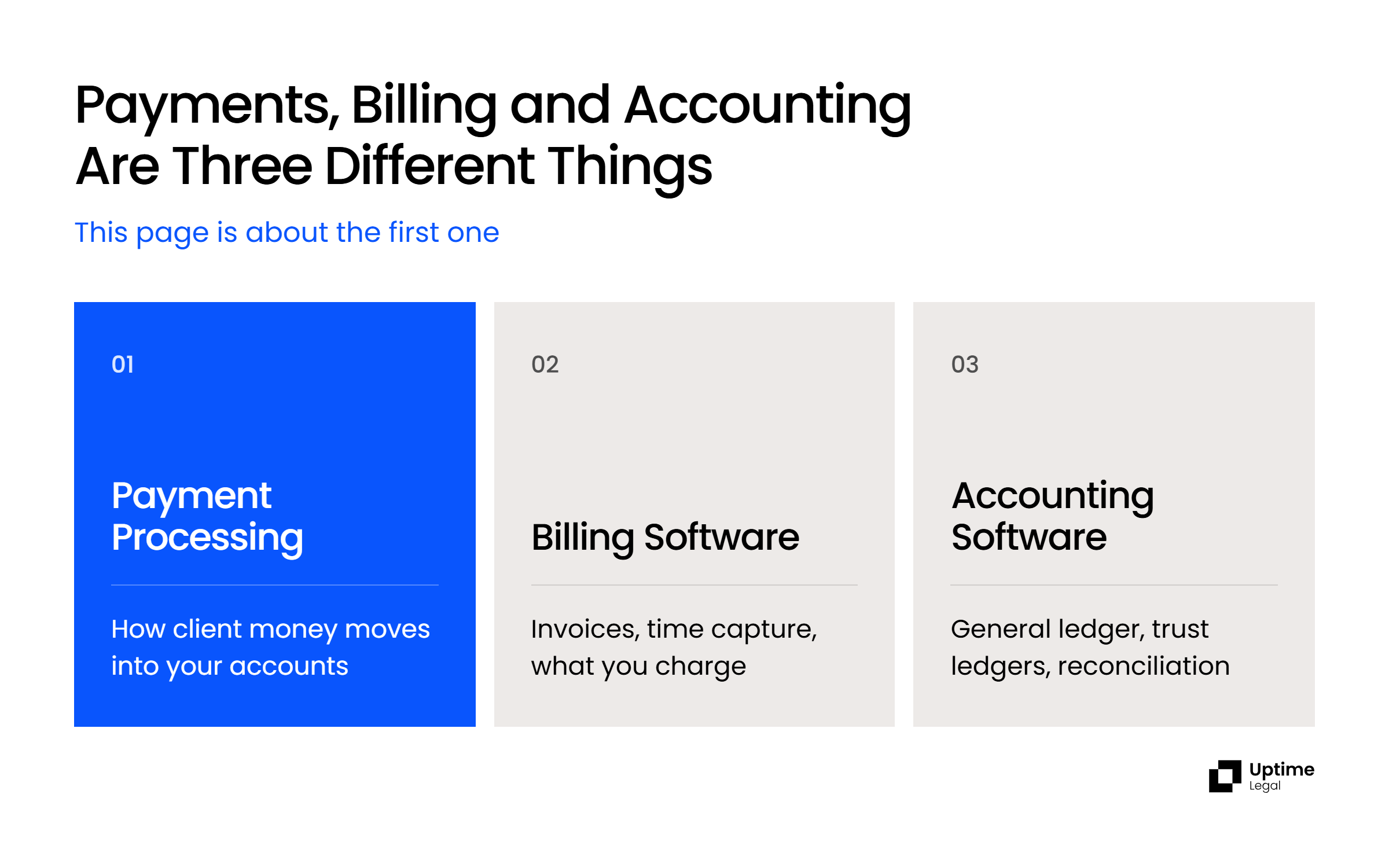
Getting paid is the least discussed part of running a law firm and one of the easiest to improve. After the intake, the research, the contract work, the litigation and the invoicing, the last step gets the least attention, which is why payment processing decides how much of your billed time you actually collect.
Your firm’s realization rate, the percentage of invoiced time that gets paid, belongs on the short list of business metrics firm leadership reviews regularly. The fastest way to move it is to take friction out of how clients pay you.
That is what payment processing for law firms is for. The good processors:
Those solutions fall into two groups. General-purpose processors work for any business in any industry. Legal-specific processors are built around the one thing that makes law firms different: client money often has to sit in a trust account untouched. If your firm will never hold client funds, a general processor can work. If it will, a legal-specific processor is the simplest way to keep your trust account whole, and the IOLTA section below explains why.
We support law firms’ technology stacks for a living, which means we see what happens after the merchant agreement is signed: the reconciliation that does not balance, the chargeback that lands against trust, the integration that stops working and only surfaces when a client payment goes missing. This guide is written from that side of the decision.
Law Firm Payment Processor Comparison
The seven options below cover both kinds of credit card processing for lawyers: four legal-specific processors built around trust accounts, and three general-purpose processors that aren’t.
Clio Payments
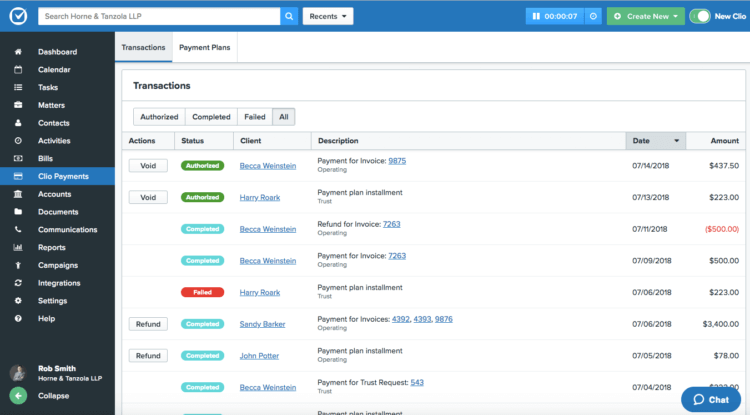
The most important thing to know about Clio Payments in 2026 is what changed in August. Clio’s longstanding integration with LawPay ended on August 31, 2026 when the contract between the two companies expired and was not renewed. Firms running Clio Manage can no longer process payments through LawPay inside Clio, and Clio Payments is the replacement Clio points customers toward. If your firm routed client payments through LawPay inside Clio, that workflow has already stopped.
Clio Payments lets clients pay by credit card, debit or eCheck. Because it is built into Clio Manage rather than bolted on, payments are recorded against the matter automatically and flow into Clio’s own accounting records without a second entry. It handles trust payments, evergreen retainers and IOLTA compliance, and it supports payment plans, automated bill reminders and QR codes for in-person collection.
Because Clio Payments only exists inside Clio Manage, its rates are published with the platform: 2.95% for standard cards, 3.5% for American Express and 1% for eCheck and ACH, with no card-network fees passed through. Processing fees and chargebacks are debited from your operating account, never from trust.
One limitation: Clio Payments is only useful if you are on Clio. It is not a standalone processor, so it cannot be part of the decision for a firm running any other practice management system.
8am LawPay
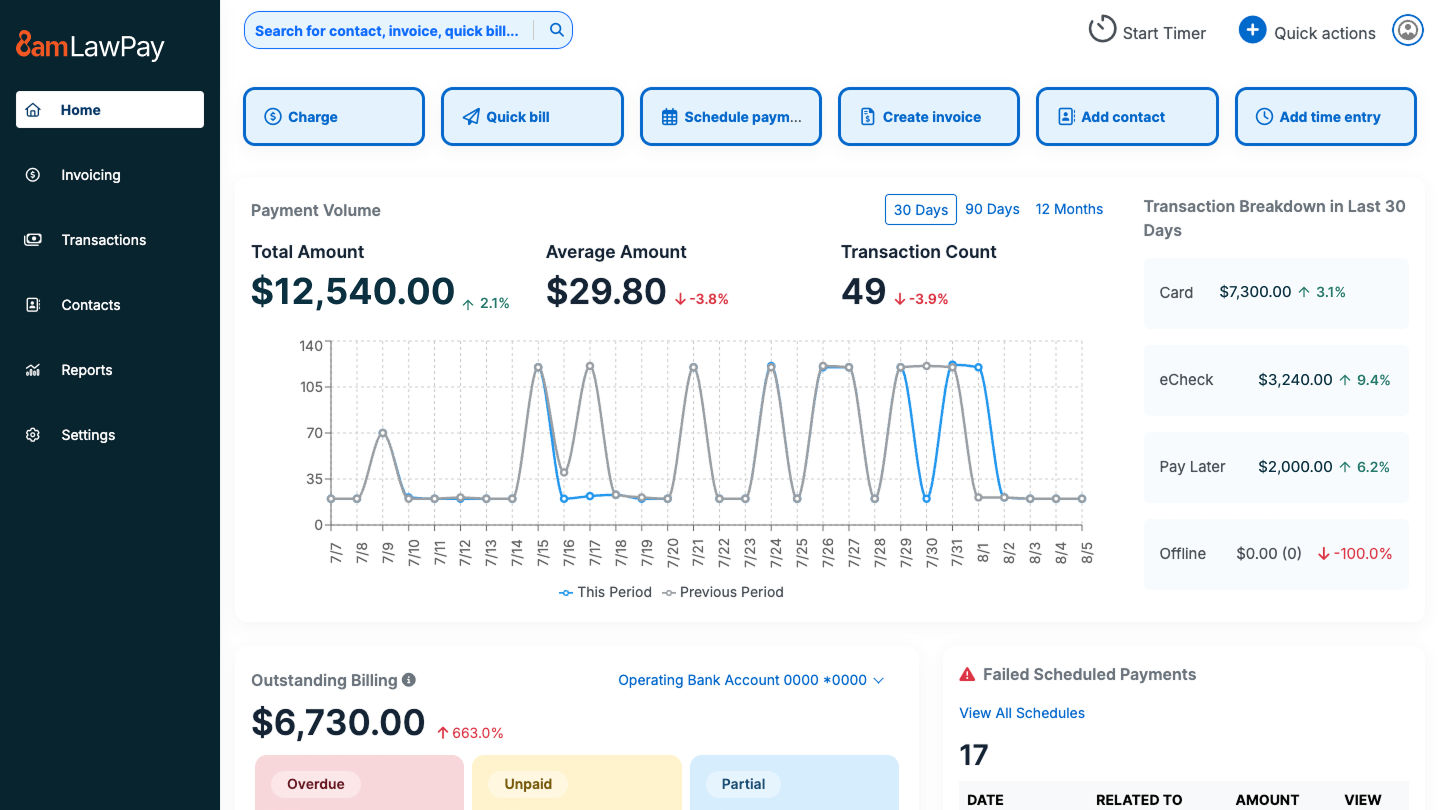
LawPay is now 8am LawPay. Parent company AffiniPay rebranded to 8am in August 2025, bringing LawPay, MyCase, CasePeer, DocketWise and CPACharge under a single name, and changing its legal entity name to 8am, LLC. Only the name changed, which matters when you are searching for support documentation or comparing quotes against older reviews.
It remains the largest name in legal payments. The company states that its solutions serve more than 267,000 professionals and process $24 billion in payments annually. 8am says LawPay is the preferred payment solution in more than 90 bar associations’ member-benefit programs. It integrates with MyCase, CasePeer and, by 8am’s count, more than 70 legal tools, and handles credit card payments, IOLTA trust accounting, payment plans and recurring billing with PCI compliance throughout. In February 2026 8am expanded LawPay beyond payments into invoicing, time tracking, expense management and financial reporting. In April 2026 8am made next-business-day deposits standard across its payment products at no added cost.
The Clio change cuts both ways. If you are on Clio, LawPay is no longer an integrated option. If you are on almost anything else, LawPay’s integration reach is still the broadest in the category.
One limitation: the headline rate isn’t the whole bill. 8am publishes a $19 monthly fee plus 2.99% + $0.30 per card transaction (3.90% + $0.30 for American Express) and 1% for eCheck, then passes card-brand fees through on top, currently including a $7.99 monthly allocation. Ask for the effective rate on your own card mix before comparing it with Clio’s all-in 2.95%.
LexCharge
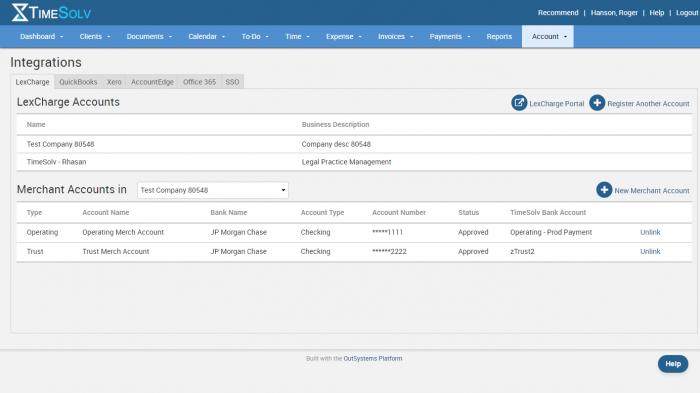
LexCharge is legal payment processing and nothing else, and it has a more interesting history than its profile suggests. It was cofounded in September 2017 by Larry Port, the founder and CEO of Rocket Matter, together with Jeff Shavitz, a veteran of the credit card processing industry who served as its CEO. Rocket Matter acquired it outright in February 2020 and kept it available as a standalone brand. Both now sit under ProfitSolv, which took a strategic investment from FTV Capital in 2025.
That ownership history explains where you will find it. LexCharge powers the native payment products inside Tabs3 and CosmoLex, both ProfitSolv companies, and it integrates with Rocket Matter and TimeSolv. Firms on those platforms may be using LexCharge without recognizing the name.
It handles credit card and ACH processing, IOLTA trust accounting, payment plans, recurring billing and PCI compliance, with built-in handling for trust payments, accounts and disbursements. Its pitch has always been cost rather than features: LexCharge argues that flat-rate pricing hides what firms really pay across hundreds of card rates, offers a free cost comparison against your current processor, and doesn’t publish a rate card. Expect a quote, not a price list.
One limitation: LexCharge is strongest inside the ProfitSolv stack. Outside Rocket Matter, TimeSolv, Tabs3 and CosmoLex, its integration reach is narrower than LawPay’s.
Headnote
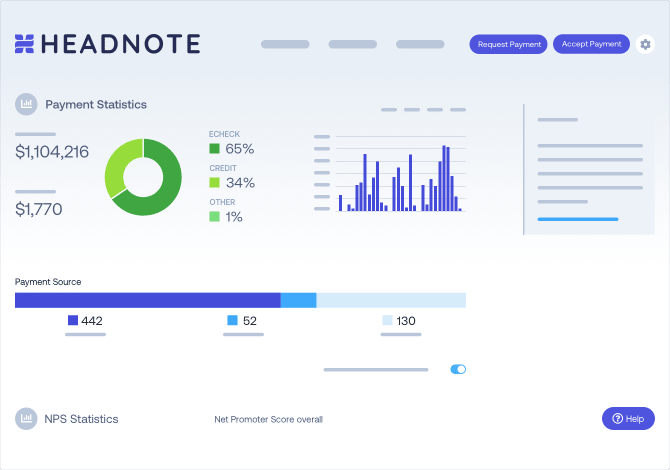
Headnote is the one on this list solving a slightly different problem. It processes credit card and ACH payments like the others, but its actual differentiator is accounts receivable automation: branded invoices, electronic retainer requests, and automated follow-ups that chase clients who have not paid without a person having to send those emails.
That matters because for many firms the bottleneck is that nobody has time to chase a $2,400 invoice that is forty days old. If your realization rate problem is collections rather than convenience, Headnote is aimed at you in a way the others are not.
It keeps trust deposits whole by charging fees to your operating account, and it supports payment plans and recurring billing. It publishes its rates: 2.9% for cards and 1.9% for instant eCheck, with no monthly fee. Rather than syncing inside your practice management system, it works through payment request links you can send from Clio, PracticePanther, Tabs3, QuickBooks, Xero and similar tools.
One limitation: because Headnote works alongside your practice management system rather than inside it, payments aren’t recorded against the matter automatically the way Clio Payments records them in Clio.
Which Payment Processor Fits Your Practice Area
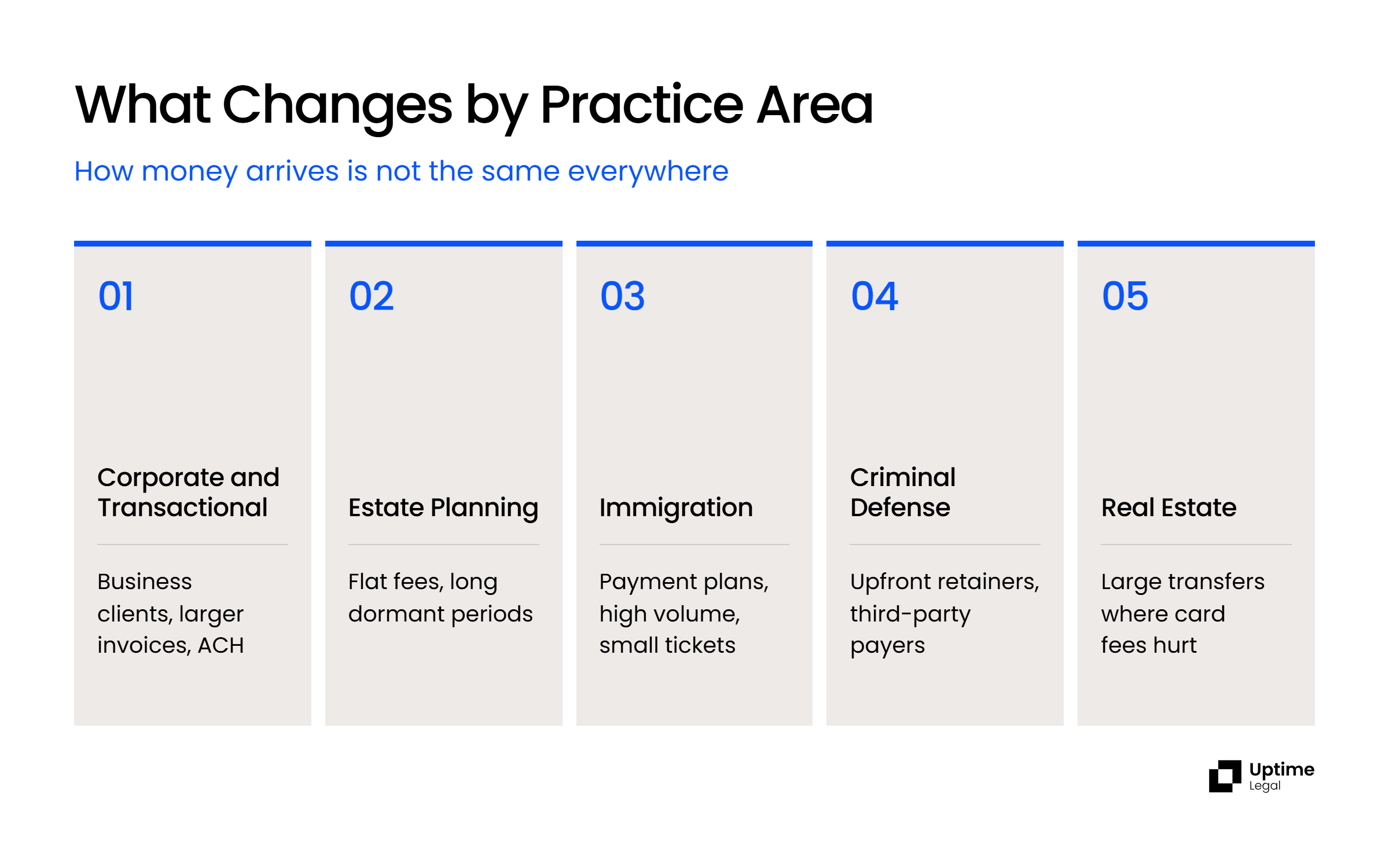
The processors above look similar on a feature list and behave differently in practice, because money does not arrive the same way in every kind of firm. Here is what actually changes.
Corporate and Transactional
Corporate and transactional work bills businesses rather than individuals, so payments are larger, arrive on invoice terms and usually come from a company account. A client’s accounts-payable team often prefers ACH, and when a business does pay by card it is frequently a corporate card, which costs more to accept.
Prioritize ACH, and read that line of the pricing page first: Clio and 8am LawPay charge 1% per eCheck, which is $150 on a $15,000 invoice. Deal funds and escrow usually move by wire rather than through a payment processor, so the processor’s trust handling matters most for retainers, and the ledger work sits in your accounting software.
Estate Planning
Estate planning runs on flat fees and retainers, with long dormant periods between the engagement and the work. A client pays a flat fee up front, and depending on your fee agreement and your state’s rules, that money may need to sit in trust and be drawn down as the work is performed.
The thing to look for is drawn-down retainer handling: can the processor and your practice management system record partial earnings against a trust balance without a manual journal entry every time? Ask whether the processor and your practice management system record draws against a trust balance without a manual journal entry. Payment plans matter less here than in most practice areas.
Immigration
Immigration is the practice area where payment plans stop being a nice feature and become the business model. Fees are frequently paid in installments over months, transaction volume is high, and individual ticket sizes are small.
Prioritize recurring billing, installment support and low per-transaction friction. Headnote’s automated follow-ups earn their keep here more than anywhere else on this list, because a hundred small installment plans generate a hundred chances for someone to forget.
Criminal Defense
Criminal defense runs on upfront retainers, often paid urgently and often paid by someone other than the client. A parent or spouse funding a defense raises a practical problem that has nothing to do with technology: the cardholder is not your client, and if that relationship sours, a chargeback is a live risk.
Prioritize trust handling and chargeback protection, and specifically ask any processor whether chargebacks are debited from your operating account rather than from trust. That single contract term matters more in criminal defense than in any other practice area on this list. Beyond it, the requirements are close to estate planning’s: retainer handling and clean trust accounting.
Real Estate
Real estate is the practice area where the payment processor matters least for the transaction itself. Closing funds usually move by wire, often through a title or escrow company, so the processor handles your fees rather than the purchase price.
For those fees, read the ACH line on the pricing page carefully. Clio and 8am LawPay both charge 1% per eCheck with no published cap, which is $50 on a $5,000 fee and $500 on a $50,000 one. If your firm routinely takes large ACH payments, ask for a capped or per-transaction ACH rate in writing; 8am lists custom pricing for exactly this.
What Changes With Firm Size
Solo and small firms are best served by whatever processor their practice management system runs natively, because setup and reconciliation time costs them more than a fraction of a percent. Mid-size firms start needing multiple trust accounts and matter-level reporting, which is where legal-specific processors separate from general ones. Larger firms should ask for negotiated rates; 8am LawPay and Headnote both list custom pricing for high-volume firms.
IOLTA and Trust Accounting: The Criterion That Actually Separates These Products
Every processor on this list can take a credit card. Only some of them can do it without creating a trust accounting problem, and that single difference is what the legal-specific versus general-purpose distinction is really about.
Here is the mechanism. A client pays $1,000 into your trust account by credit card. A generic processor takes its fee, roughly 2 to 3%, out of that payment before depositing it, so $980 arrives in trust. Your client ledger says $1,000. Your bank says $980. The trust account is short by $20, and the shortfall is made of client money that was never yours.
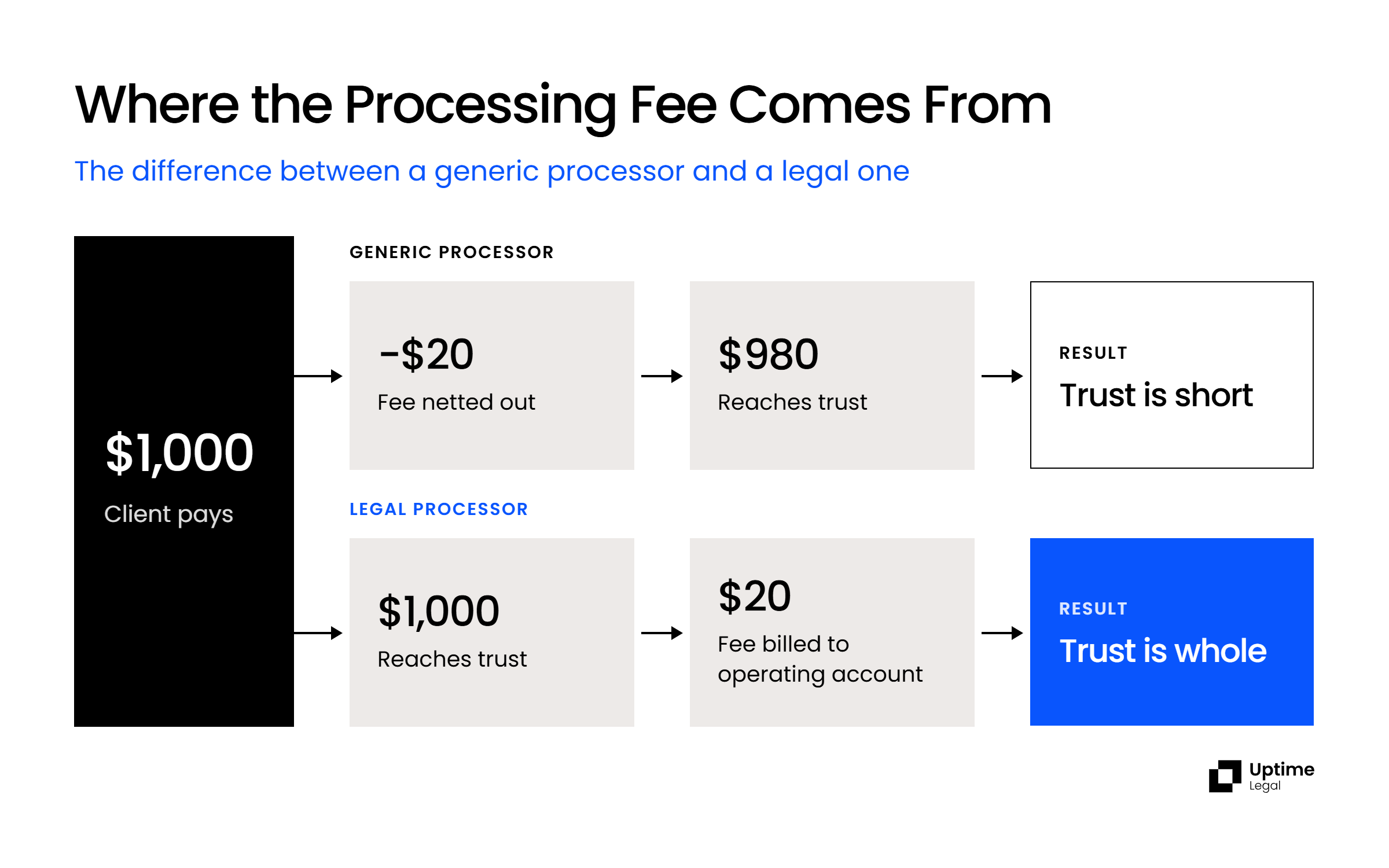
Legal-specific processors solve this by depositing the full amount into trust and billing the processing fee separately to your operating account. That is the whole design difference, and it is why QuickBooks Payments and similar tools are fine for operating-account transactions and unsuitable for trust ones.
What Happens When a Client Charges Back a Trust Payment
A chargeback pulls money back out of the account it was deposited into. If that account is your trust account, the withdrawal comes from a pool holding other clients’ money.
The North Carolina State Bar addressed this directly in 97 Formal Ethics Opinion 9, which states that a lawyer is ethically compelled to fund the trust account from their own or another source if a chargeback jeopardizes other clients’ funds on deposit. The same opinion holds that a lawyer may not participate in a merchant agreement granting the bank a security interest in a trust account.
Rules vary by state, so confirm your own. The practical protection is the same everywhere: contract for chargebacks and processing fees to be debited from your operating account, never from trust. Ask for it in writing before you sign.
Multi-State Firms and Conflicting Trust Rules
Every state runs its own IOLTA program built on the ABA Model Rule 1.15 framework, and each adopts its own version. States differ on approved depository banks, reconciliation frequency, recordkeeping periods, and whether firm funds may cover card processing fees. The ABA’s model recordkeeping rule sets quarterly three-way reconciliation of the bank statement, the trust ledger and the individual client ledgers as the baseline, and some states require it monthly.
For a firm practicing in more than one state, the workable rule is to default to the strictest jurisdiction you operate in or where your clients reside, then configure the processor once against that standard. Running different rules per matter is where reconciliation errors come from. Whichever processor you choose needs to support separate trust accounts per jurisdiction and per-client ledgers underneath them.
General-Purpose Processors: Stripe, PayPal and Authorize.Net
Stripe, PayPal and Authorize.Net are the general-purpose online payment systems most law firms consider first, and none of them is built for trust accounting. Stripe and PayPal deduct their fees from each payout, which is exactly what leaves a trust account short. That limits them to money headed for your operating account: earned fees and invoices for completed work, never retainers, advance fees or anything else that belongs in trust.
If most of what your firm collects is earned fees, they’re good options and often cheaper. If your firm takes retainers, use a legal processor for those payments at minimum.
Stripe
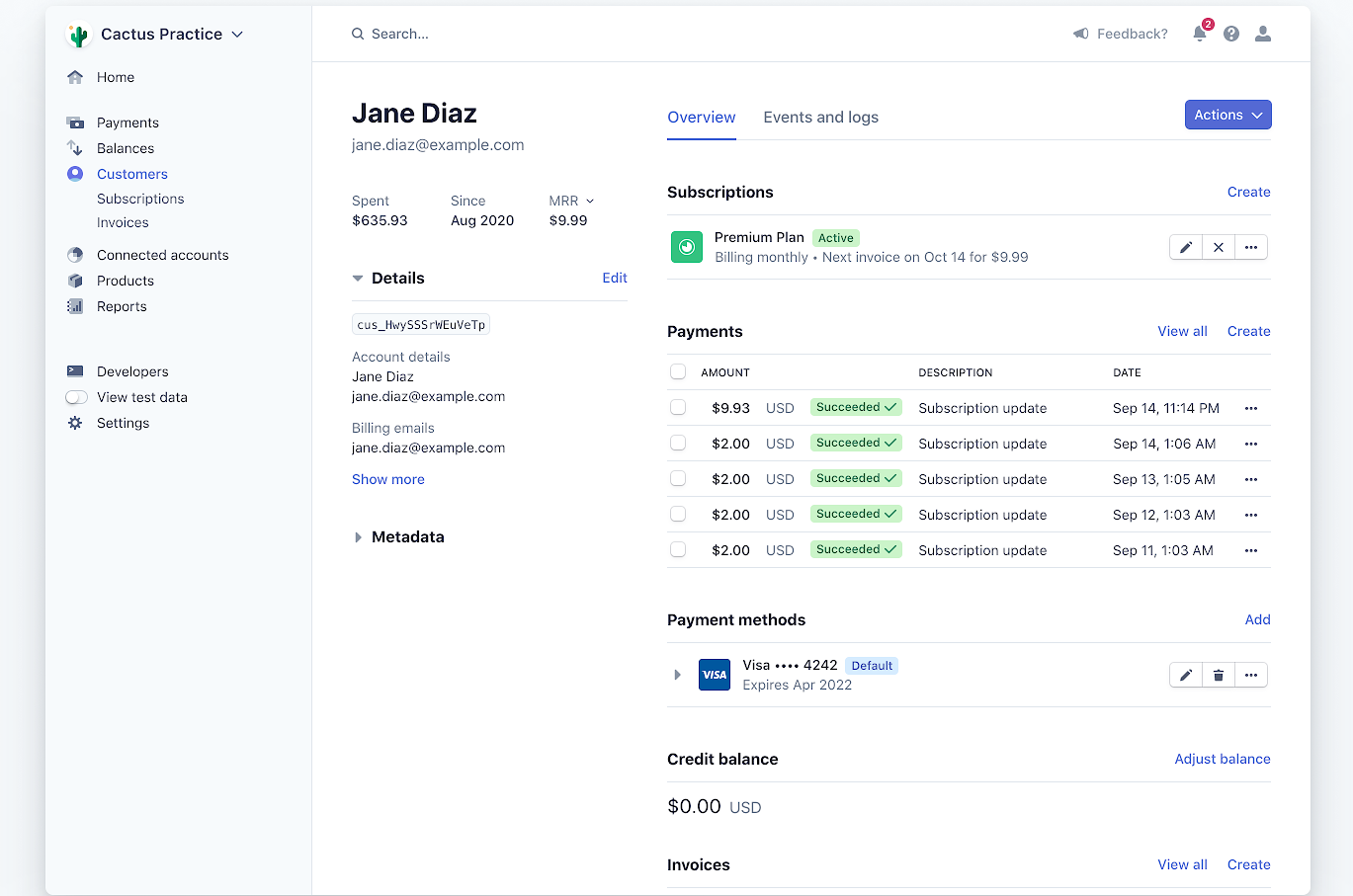
Stripe is flexible, developer-friendly, and the strongest option if you want payments embedded in a custom client portal or website workflow. Credit card processing, payment plans, recurring billing, PCI compliance and fraud prevention, with published pricing and a well-documented API. No IOLTA trust accounting.
PayPal
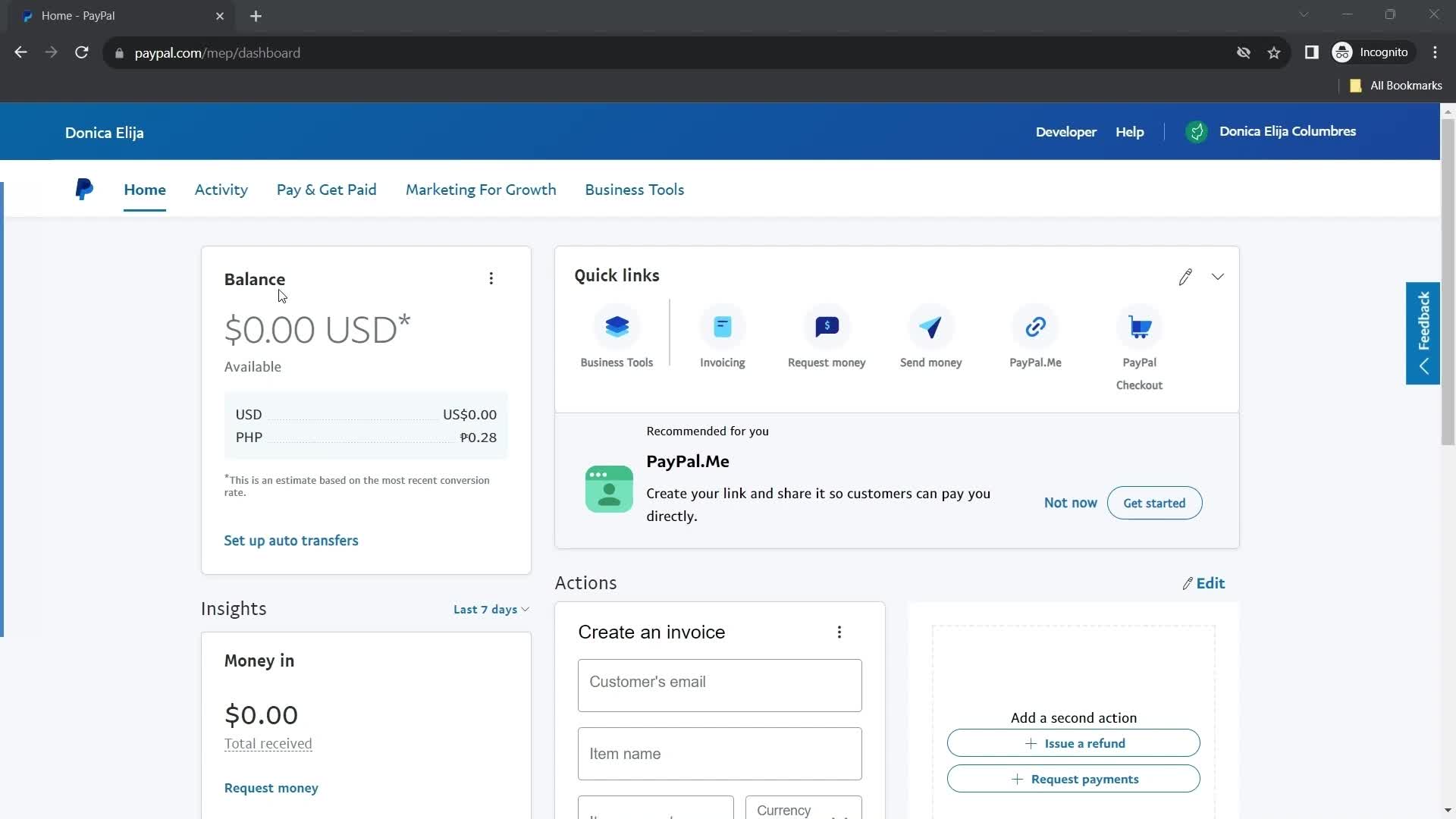
PayPal is one your clients already recognize, which removes a small amount of friction at checkout for consumer-facing practices. Credit card processing, recurring billing, API access, PCI compliance and fraud prevention, with published pricing. No trust accounting support.
Authorize.Net
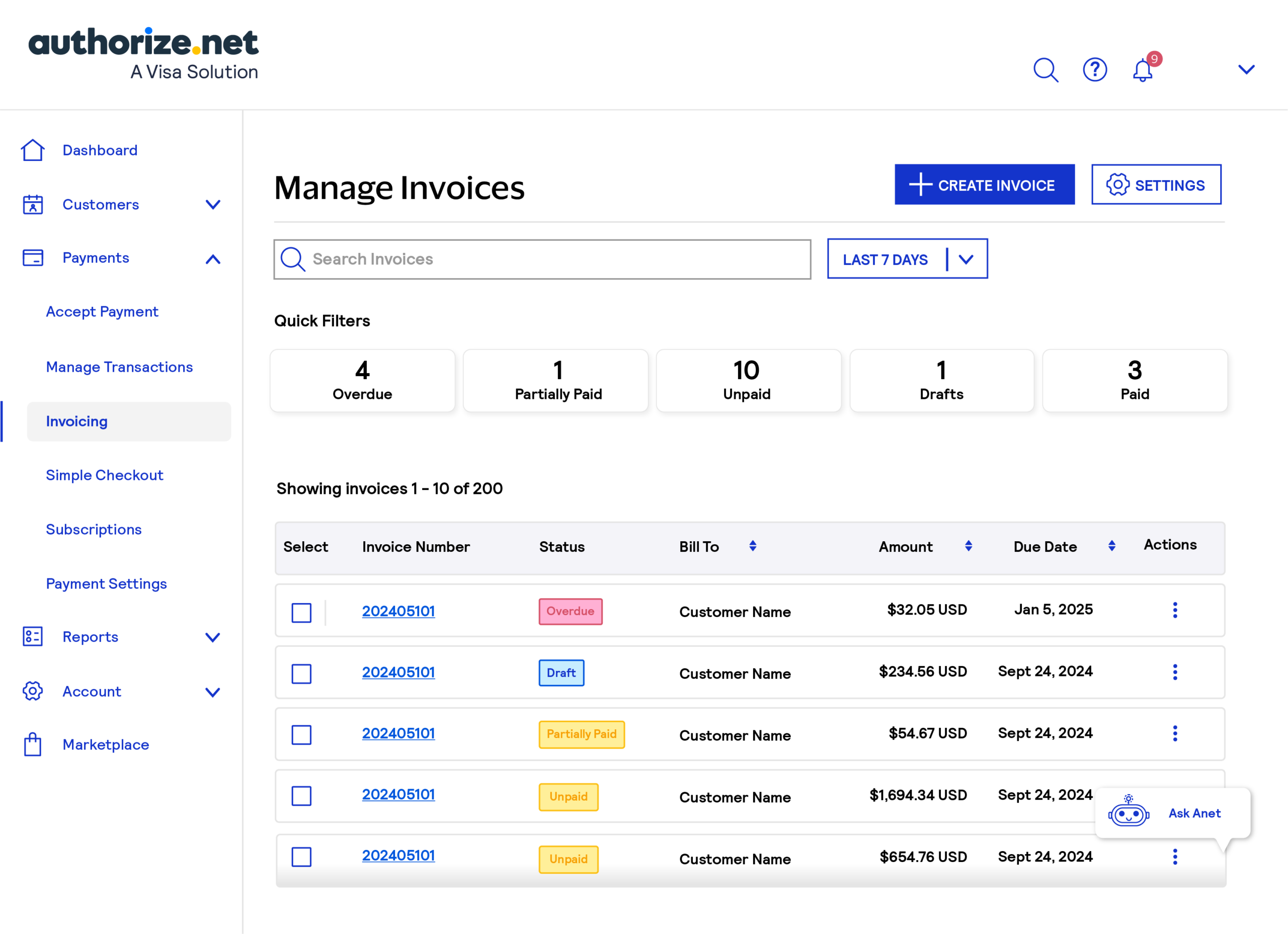
Authorize.Net is a long-established gateway owned by Visa, strongest on security and fraud prevention. Credit card processing, recurring billing, an open API and PCI compliance, with published pricing. No trust accounting.
What Law Firm Payment Processing Actually Costs
Legal payment processing is priced two ways. Interchange-plus passes through the card network’s cost and adds a fixed margin, which means your effective rate moves with your card mix; it usually costs less at volume and is harder to compare between quotes. Flat rate charges one published percentage regardless of card type, which costs more on average and is far easier to budget against. Flat isn’t always flat: 8am LawPay passes card-brand fees through on top of its rate, while Clio says it passes none.
ACH is where these processors differ most. Clio and 8am LawPay each charge 1% per eCheck and Headnote 1.9% for instant eCheck, with no cap on their pricing pages; Stripe caps ACH at $5 and PayPal invoicing at $10, but only for money headed to your operating account. On a $50,000 payment, that’s the difference between $500 and $5.
Ask for the effective rate on your last twelve months of actual transactions, not the headline rate. Ask what a chargeback costs. Ask whether there is a monthly minimum, a PCI compliance fee, or a statement fee, because those are where a cheap headline rate usually goes.
Can You Pass Processing Fees to Clients?
Sometimes, and three separate rule sets have to agree before you can.
State law. Connecticut, Maine and Massachusetts prohibit surcharging outright. Most states have no surcharge-specific prohibition, and several permit it with caps and disclosure requirements.
Card network rules. Visa caps surcharges at 3% and Mastercard at 4%, and neither may exceed your actual cost of acceptance; American Express sets no fixed cap but won’t let you surcharge its cards more than others. Because nearly every firm accepts Visa, 3% is the practical ceiling.
Visa and Mastercard require 30 days’ written notice to your processor before you start, and these rules may change: a revised Visa and Mastercard merchant settlement expanding surcharging rights received preliminary court approval in June 2026, with final approval still pending in September.
Bar ethics. ABA Model Rule 1.5 prohibits unreasonable fees and unreasonable expense charges, so a surcharge has to reflect the actual cost and be disclosed to the client up front.
One rule holds everywhere: a surcharge may never be withdrawn from a trust account. If you practice in more than one state, default to the strictest rule you are subject to. Many firms skip the question entirely and encourage ACH instead, which costs a fraction of card processing and raises none of these issues.
Choosing the Right One for Your Firm
For most firms holding client funds, the honest default is the processor your practice management system already runs natively. If you are on Clio, that is Clio Payments, the payment option Clio itself supports inside Clio Manage since August 31, 2026. If you are on Rocket Matter, Tabs3 or CosmoLex, LexCharge is already underneath your payments whether you chose it or not. Integration decides whether payments reconcile themselves or become someone’s Friday afternoon.
Three conditions change that answer.
If price is the deciding factor, three of the four legal processors here publish their rates; LexCharge quotes per firm, and 8am LawPay adds card-brand fees on top of its headline rate. If collections are your real problem rather than payment mechanics, Headnote’s follow-up automation is doing different work than the others. And if your firm genuinely never holds client funds, a general-purpose processor will serve you at lower cost, though that is worth revisiting the first time a client asks to pay a retainer.
Whatever you choose, ask one question before you sign: does the full client payment reach the trust account, with fees billed separately to operating?
If the answer is anything other than a clear yes, the product was not built for a law firm.
WHAT’S NEXT
Frequently Asked Questions

Uptime Legal’s Technology Solutions
Cloud, software, IT, and document management built for today’s law firms.