PCLaw has been part of the legal practice management conversation for decades, and firms searching for a PCLaw review usually want one thing: a straight answer on whether it still holds up.

It’s built for small and midsize firms that want lightweight case management paired with genuinely strong accounting, not a sprawling platform with modules they’ll never touch.

If you’re comparing legal practice management software, PCLaw is one name that keeps coming up.

This review covers what PCLaw actually does, who it fits, what it costs, and what real users say, so you can decide if it belongs on your shortlist.

  • PCLaw pairs lightweight case management with genuinely deep business and Trust/IOLTA accounting, built for small and midsize firms rather than large-platform buyers.

  • Setup does not require a specialized consultant, and PCLaw works stand-alone or alongside Time Matters for firms that need more case and document management.

  • Licensing comes in two forms: a per-user monthly subscription (SBL) or a perpetual license paired with an Annual Maintenance Plan (AMP).

  • Real user feedback consistently praises PCLaw’s accounting depth and support quality, while flagging its interface as dated.

  • PCLaw runs on-premise or in a hosted environment, but the hosting decision is a separate evaluation from whether PCLaw itself is the right fit.

A Good Fit for Firms That…

PCLaw is a good fit for law firms that:

  • Need comprehensive accounting, but prefer a simpler, more lightweight case management system.

  • Desire to get up and running with their practice management and accounting software quickly.

  • Use Time Matters for case and document management.

The Company

PCLaw was originally developed by an independent company. The product was later acquired by LexisNexis. In 2019, LexisNexis and LEAP Software created a joint venture, where the PCLaw software continues to be developed and supported.

See PCLaw in Use

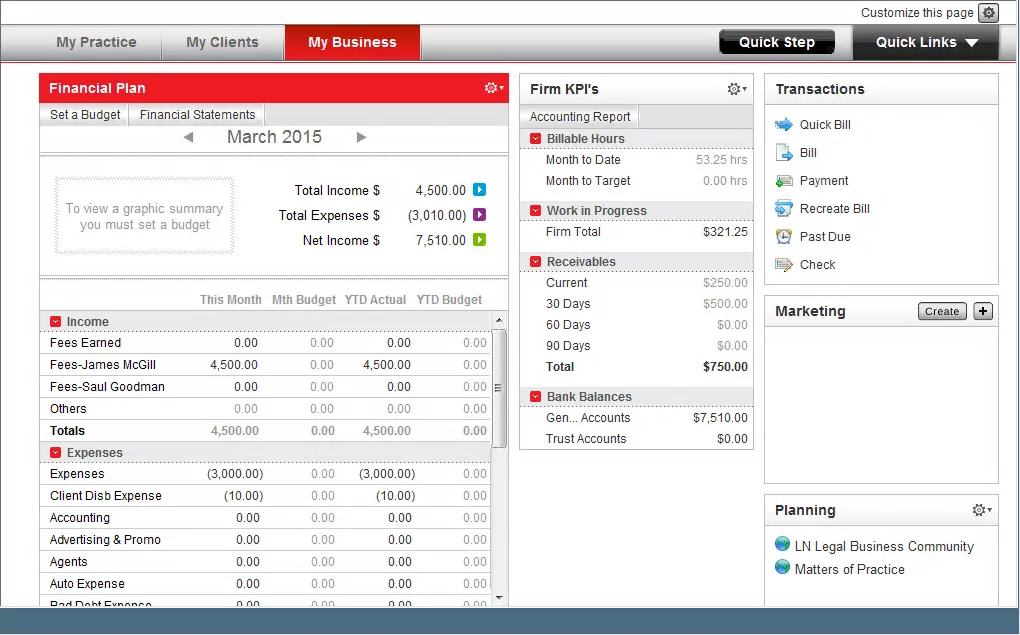
PCLaw has a straightforward user interface. The accounting aspects of each case are often front and center within the various screens in PCLaw.
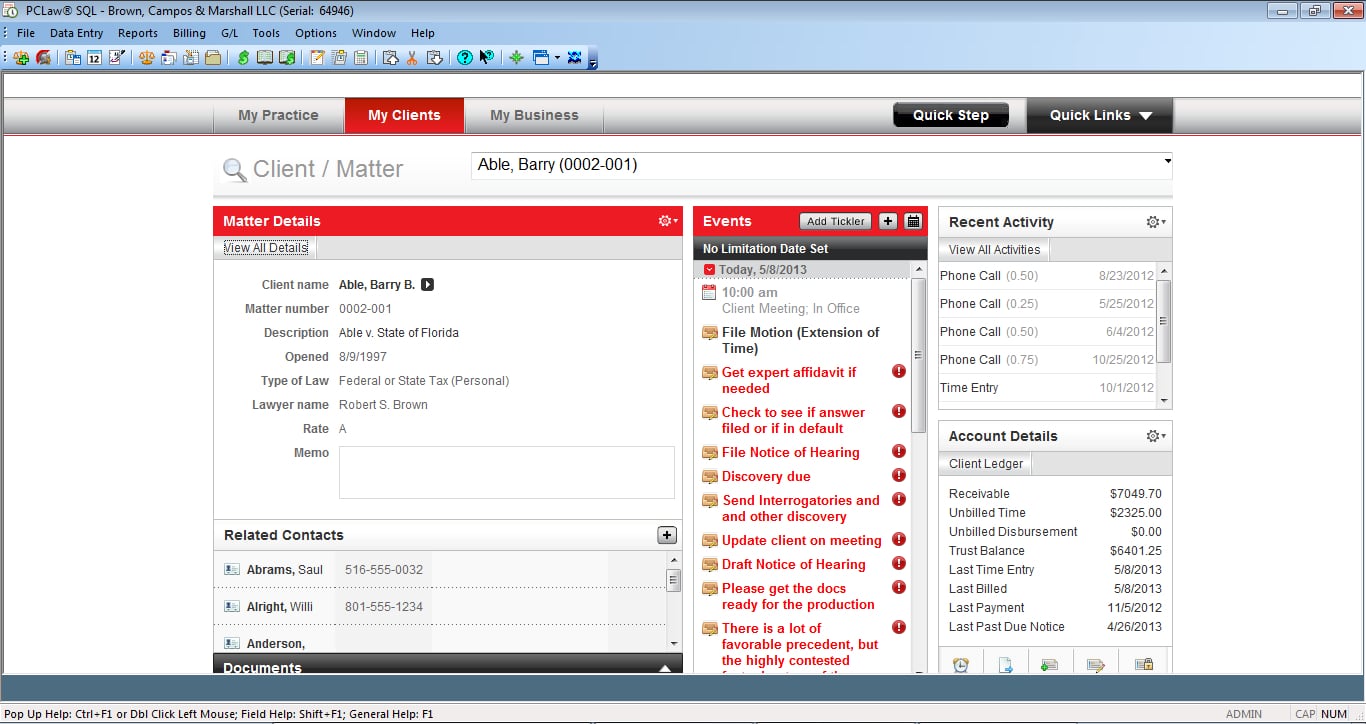
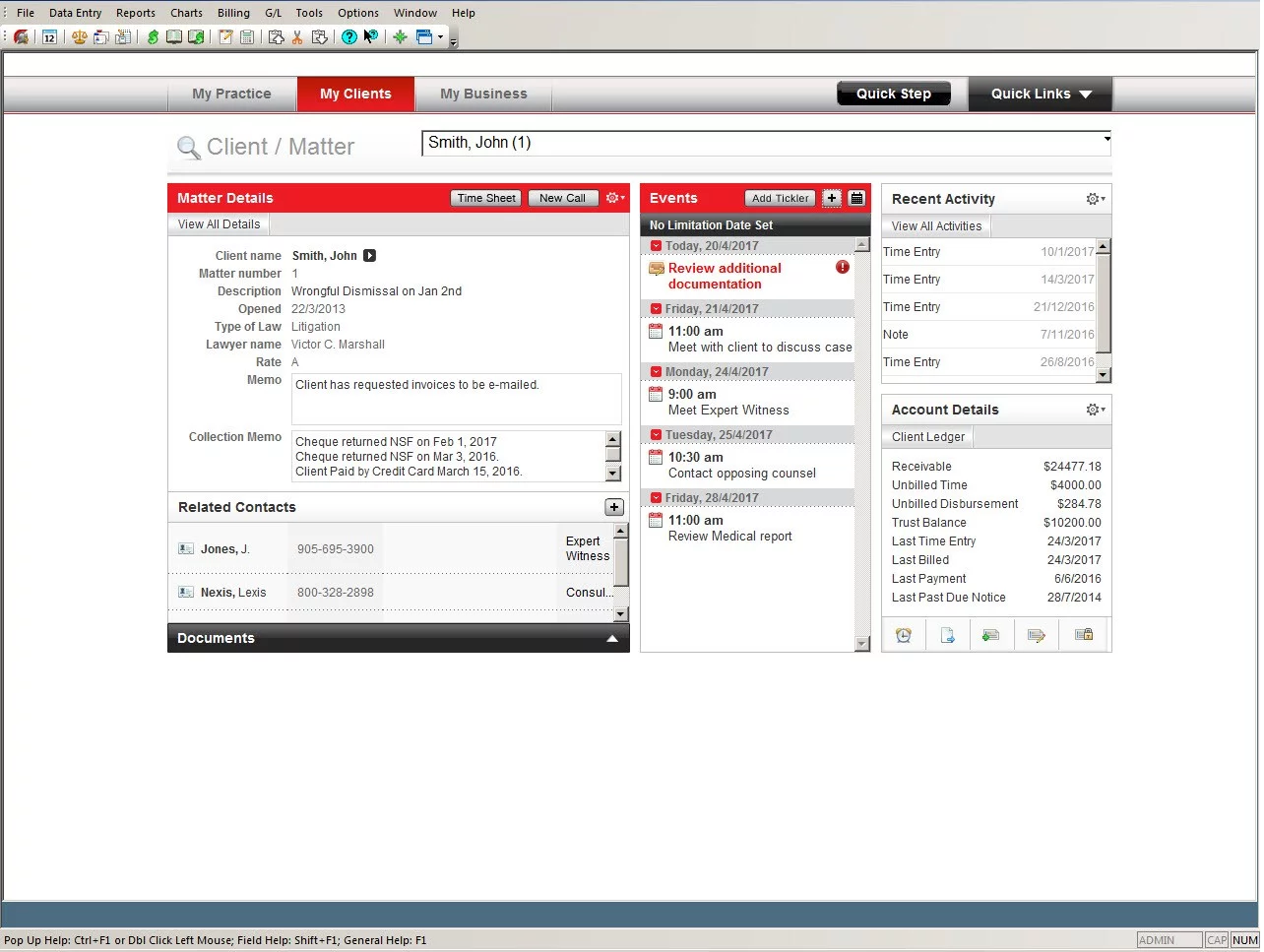
Screenshot of PCLaw's practice management interface showing case and accounting details.

PCLaw Stand-Out Features

PCLaw’s strongest features cluster around fast setup and real accounting depth, with the option to add more practice management muscle when you need it.

Rapid Setup

PCLaw is straightforward and easy to use, making it one of the easier applications to get started with. PCLaw, unlike other legal applications, does not require a special consultant to implement and begin using.

Comprehensive Business and Legal Accounting

PCLaw is a complete accounting package, which means it manages both your business accounting (bank/operating accounts, General Ledger, Accounts Payable, Accounts Receivable, and financial statements) as well as Trust/IOLTA accounting. PCLaw supports fixed-fee and split billing, and includes comprehensive financial reporting capabilities.

Use Stand-Alone or in Conjunction with Time Matters

PCLaw provides lightweight practice management functions. If your firm needs more sophisticated law practice management or document management, PCLaw can be used in tandem with its sister product, Time Matters. Firms researching a PCLaw Time Matters review are usually trying to answer exactly that: whether running both is worth the extra software, or whether one platform would cover the same ground.

PCLaw Go Mobile App

PCLaw has a mobile app, called PCLaw Go, which allows you to enter billable time and perform routine tasks from your iPhone or Android smartphone.

PCLaw Annual Maintenance Plan (AMP)

PCLaw can be subscribed to as a monthly Subscription-Based License or purchased as a perpetual license with an Annual Maintenance Plan.

With an SBL or AMP, your firm is entitled to:

  • Software Technical and How-To Support

  • PCLaw Training & Education

  • Software Updates and Improvements

  • A PCLaw Account Manager

  • Access to PCLaw Cloud Hosting Options*

Complete Feature List

Here’s what’s included, feature by feature:

  • Client & Contact Management: A central database to store information for clients, courts, related parties and other contacts.

  • Matter Management: A central database of matters, cases and projects. Stores the most relevant information pertaining to each matter.

  • Calendaring: Individual calendars for each user, along with an aggregated, firm-wide view/calendar. Synchronization with Outlook calendar.

  • Task Management: Create tasks and to-do items pertaining to specific matters or projects. Assign tasks and set deadlines.

  • Time & Expense Tracking: Track billable hours and related expenses for a particular client or matter.

  • Billing: Invoicing, including for billable hours, contingency work, and fixed-fee matters.

  • Conflict Checking: Search the database for related names, document each conflict check.

  • Business Accounting: Standard business accounting, including a Chart of Accounts, Bank/Operating Accounts, standard accounting reports (P&L, Balance Sheet).

  • Trust Accounting: Trust/IOLTA accounting for management of trust funds, including trust account reporting.

  • Mobile App: An Android or iPhone application for time entry and some subset of software functionality.

  • Document Assembly/Automation: Automatic preparation and population of specific court documents and forms.

  • Document Storage: Built-in cloud storage for related documents and files.

  • Document Management: Advanced document management including full-text search, document tagging & profiling, and version management.

  • Email Management: The ability to save emails to specific matters, via Outlook integration.

  • Client Portal: A client-facing online portal to share documents and updates with clients and other third parties.

  • Open API: An open API (Application Program Interface), allowing you or third parties to develop integrations with the software.

User Feedback

We’ve aggregated and curated feedback from PCLaw users, consultants, and online sources.

“PCLaw is Good for Our Small Law Firm.” – Sean C. from a Small Law Practice

I work in a small IP law firm with three partners, and myself as the office manager. This software works great for a firm of our size. It is easy to use and can hold a good amount of matters. The daily entry of time, expenses, etc. is very easy once set up.

“A Legal Professional’s Best Friend” – Paralegal in a Small Law Practice

It’s an all in one matter and client management, accounting and billing software. The program has so many functions that covers all areas in a law firm’s accounting management. However, should you have to pick the best feature out of the many, then the customer support will probably top the list as they are one of the best support teams I’ve dealt with. One small drawback, while it possesses many features, it could be a little more user-friendly.

“Does the Job.” – Jessica M. G. at Small Law Practice

I like the interface for time-keeping and billing. Overall, PCLaw is very user-friendly, and was easy to adopt across our law office. I cannot say there is anything I really dislike, though I do wish that the contact forms were more customizable.

“Solid Software for Small Law Firms.” – Kayla M. from a Midsize Law Firm

Worked in a small law firm with two attorneys, two legal assistants, and an office manager. This software was perfect for what we needed in regards to day-to-day documentation/process. PCLaw is solid software, but visually slightly dated. The software needs an improved user interface in order for me to consider it a great software.

PCLaw Software Pricing

  • PCLaw is sold in two subscription models, both based on the number of time-keepers in your law firm.

  • PCLaw is available in Subscription-Based-Licensing (SBL), at a per-user, per-month basis.

  • Or: sold as a Perpetual License with an Annual Maintenance Plan (AMP).

  • We recommend contacting the vendor for current pricing tailored to your law firm.

Not sure how your firm’s access is currently configured?

An IT Health Check maps what you have, flags where access is misconfigured, and gives you a clear picture of where your firm actually stands.

Not Sure Which Legal Software Fits Your Firm?

Get a Recommendation, Not a Pitch
  • Every Major Platform — PCLaw, Time Matters, Juris, Clio & More
  • Skip the Sales Script
  • Tell Us How Your Firm Actually Works
  • Walk Away with the Right Fit

PCLaw in the Cloud

PCLaw is desktop and server software, so it can run on-premise or move to a hosted environment when your firm’s ready for that. If you’re weighing hosting PCLaw rather than evaluating it, that decision, what it costs, and what changes day to day, gets its own dedicated breakdown.

Deciding If PCLaw Belongs on Your Shortlist

PCLaw earns its spot for firms that want dependable accounting without a bloated practice management system, especially if Time Matters is already part of your stack.

The accounting depth and support quality carry the software, even with an interface users call dated.

WHAT’S NEXT

ARTICLE
Legal Software Report Download

FREE ASSESSMENT
Get a Free IT Health Check for Your Firm

GET HELP
See How Uptime Legal Supports Law Firms Day to Day

Frequently Asked Questions

PCLaw is practice management, billing, and accounting software for small and midsize law firms. It combines matter and client management with full business and Trust/IOLTA accounting in one system.

PCLaw is priced per timekeeper under either a monthly subscription (SBL) or a perpetual license with an Annual Maintenance Plan. Contact the vendor directly for current pricing, since it’s tailored to your firm’s size and setup.

Yes. PCLaw handles accounting and billing while Time Matters adds deeper case and document management, and many firms run them together instead of replacing one with the other.

LexisNexis owns PCLaw. Since 2019, LexisNexis and LEAP Software have run PCLaw as a joint venture, continuing development and support under that arrangement.

PCLaw fits best at firms with at least a few timekeepers who need real accounting depth. A solo attorney with simpler billing needs may find a lighter, less accounting-heavy tool a better match.

No. PCLaw is built to be set up without a specialized consultant, which is one reason smaller firms choose it over more complex practice management platforms.

Published On: December 15th, 2023 / Categories: Law Firm Software, PCLaw /
As the founder and CEO of Uptime Legal, I've had the privilege of guiding our company to become a leading provider of technology services for law firms.

Our growth, both organic and through strategic acquisitions, has enabled us to offer a diverse range of services, tailored to the evolving needs of the legal industry.

Being named an Ernst & Young Entrepreneur of the Year Finalist and seeing Uptime Legal recognized on the Inc. 5000 list of fastest-growing private companies in America are testaments to our team's dedication.

At Uptime Legal, we strive to continuously innovate and adapt in the rapidly evolving legal tech landscape, ensuring that law firms have access to the most advanced and reliable technology solutions.

Uptime Legal’s Technology Solutions

Cloud, software, IT, and document management built for today’s law firms.
  • Uptime Manage

Managed IT & Help Desk Solutions

  • Uptime Cloud

Cloud & Legal Application Hosting

  • Uptime Applications

Application Configuration & Support

  • LexWorkplace

Document Management For Law Firms